Printers
-
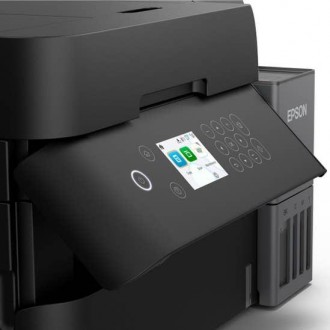
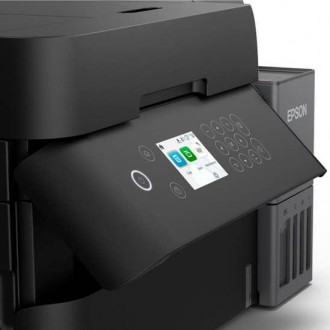
Epson EcoTank L6370 - Color Printer (Print, Scan, Copy with ADF) and Auto Duplex - LCD/ USB / Wi-Fi - Use: Ink Tank 504 ( Color & Black)SKU: C11CL43301US$ 650,00
- Epson EcoTank L6370 all-in-one color ink tank printer with print, scan, copy, and ADF.
- Automatic duplex printing for efficient double-sided documents.
- High-capacity EcoTank system using Epson 504 Black and Color ink bottles.
- 2.4-inch color LCD for easy navigation and printer management.
- USB and Wi-Fi connectivity with mobile printing support.
- Fast print speeds of up to 20 ppm (black) and 11 ppm (color).
- PrecisionCore Heat-Free technology for reliable, high-quality printing.
- Ideal for home offices, small businesses, and high-volume printing.
-
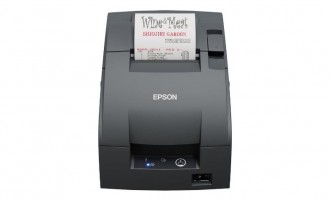
Epson TM U220IID-002NO-AC - receipt printer - two-color (monochrome) - dot-matrix - Serial - 9 pin dark gray - 16 cpi up to 8.8 lines/sec cutterSKU: TM-U220IIDUS$ 290,00
- Epson TM-U220IID-002NO-AC is a reliable 9-pin dot matrix receipt printer designed for retail, hospitality, and POS environments.
- Supports two-color (monochrome) receipt printing with speeds up to 8.8 lines per second for efficient transaction processing.
- Features a built-in auto cutter and serial interface for dependable connectivity with compatible POS systems.
- Ideal for restaurants, kitchens, retail stores, supermarkets, and businesses requiring durable impact receipt printing.
-
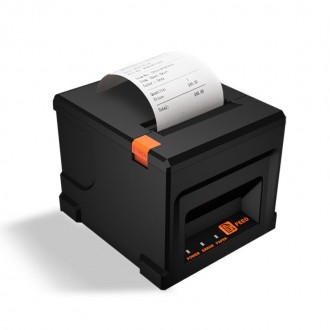
HZTZ 80mm Thermal Receipt Printer, HZ-8360 Automatic Cutter Restaurant Kitchen POS Printer USB + Bluetooth, POS-8360SKU: HZ-8360USBBluetoothUS$ 140,00
- HZTZ 80mm thermal receipt printer designed for restaurant, kitchen, retail, and POS printing applications.
- Features automatic paper cutting for quick and convenient receipt and order-ticket handling.
- Supports USB and Bluetooth connectivity for flexible connection with compatible POS systems and devices.
- 80mm thermal printing provides clear receipts, invoices, kitchen tickets, and order information without ink or toner.
- Model: HZ-8360 / POS-8360.
-
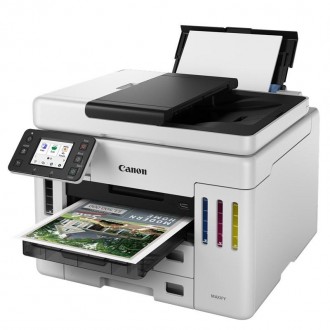
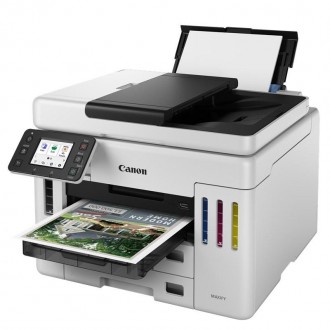
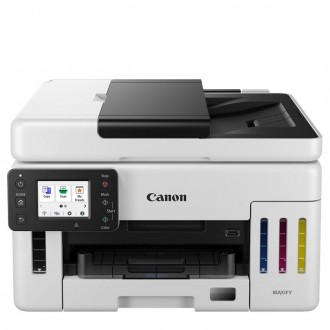
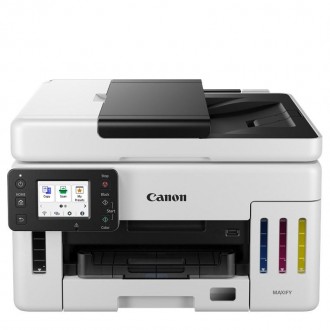
MAXIFY GX7110 Wireless / Print / Copy / Scan / Fax - Auto 2-Sided Printing 2.7" Color Touchscreen LCDSKU: 6880C004AAUS$ 760,00
- Canon MAXIFY GX7110 wireless multifunction printer with print, copy, scan, and fax capabilities.
- High page yield of up to 6,000 black-and-white or 14,000 color pages from a single set of inks.
- Features auto 2-sided printing and a 50-sheet single-pass duplex scanning ADF.
- Includes a 2.7-inch color touchscreen LCD for convenient operation.
- Includes GI-16 Black, Cyan, Magenta, and Yellow ink bottles, power cord, telephone cable, and USB cable.
-
MAXIFY GX6110 Wireless / Print / Copy / Scan - Auto 2-Sided Printing 2.7" Color Touchscreen LCDSKU: 6882C004AAUS$ 695,00
- Canon MAXIFY GX6110 wireless all-in-one printer with print, copy, and scan functions.
- Print up to 6,000 black-and-white or 14,000 color pages using a single set of inks.
- Features automatic 2-sided printing and a 50-sheet automatic document feeder (ADF).
- Includes a 2.7-inch color touchscreen LCD for easy operation.
- Includes GI-16 Black, Cyan, Magenta, and Yellow ink bottles, power cord, and USB cable.
-
PEDOOLO 4x6 Shipping Label Thermal PrinterSKU: BY-482BTUS$ 105,00
- 【Wireless & Support for Multi-Systems】PEDOOLO thermal printer prints wirelessly. For iPhone and Android, download the App “Label Expert” and connect via Bluetooth. For Windows, you can also print via Bluetooth. Windows, Mac, and Chromebook support USB connection. Chromebook users can directly print by adding the extension "Shipping Printer". (Note: Mac and Chromebook do not support Bluetooth printing.)
- 【Versatile Compatibility for Platforms & Labels】The shipping label printer, a great assistant for online small business, is compatible with almost all shipping and e-commerce platforms, including Amazon, eBay, UPS, FedEx, Shopify, etc. (Note: Save as PDF from platforms) Besides, the label printer supports any brand thermal labels with 1.57" to 4.1" width, allowing you to customize and print product labels, barcode labels, thanks stickers, etc. (Note: Customize labels via smartphone APP)
- 【High-res, High-speed and Massive-Volume】With a Japanese upgraded thermal print head, the label printer for shipping packages prints up to 150mm/s (72 sheets 4x6 labels/min) and can effortlessly print over 50 kilometers (over 500,000 shipping labels). 203 DPI makes labels come out clearly for easy reading and scanning. The shipping label printer for small business does achieve ink-free, mess-free, cost-effective, and time-saving.
- 【Small & Smart & Efficient】The thermal label printer features automatic calibration & positioning, intelligent paper return, and intelligent self-test, avoiding paper waste or jams. It achieves efficiency with just one click. With compact size, the bluetooth thermal label printer can be easily used at home, office, and warehouse.
-
US$ 100,00The Canon printer TS3610 is your ultimate productivity companion, combining three essential functions into one efficient device. Seamlessly switch between printing important documents, making quick copies, and scanning files directly to your computer. This versatility makes the printer an indispensable tool for managing your paperwork and creative projects. Meer Informatie
-
US$ 515,00
Features
Meer InformatieEngineered for high-volume printing
Get up to 12000 black pages or up to 8000 color pages.[2]
Automatic two-sided printing
Speed through multi-page documents with automatic two-sided printing.
Your reliable connection
Get faster, more reliable connections using dual band Wi-Fi® with self-healing.[3]
HP Smart app
Print, scan and copy from your phone—from anywhere. Enjoy advanced scanning for 12 months with HP Smart Tank
Seamless, guided mobile set up[1]
Exceptional HP quality
Count on dark, crisp text, and get vibrant color graphics for all your prints.
Magic touch panel and smart-guided lighting
Easily manage tasks with an integrated, modern touch interface for an intuitive experience.
Convenient ink and paper management
Easily monitor and maintain ink and paper levels with integrated ink tank light and paper sensors.
Extend your printing reach
Easily share resources – access and print with wireless and Ethernet networking.[3]
Hands-free. Auto-fed
Work fast and hands-free—the 35-page auto-feeder helps you complete jobs quickly.
More easily copy IDs
HP Wolf Essential security
Safeguard your documents and memories right out of the box with critical protection against cyber-threats.
-
US$ 275,00
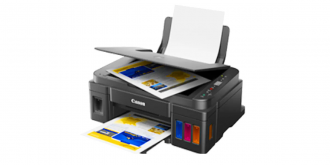
The new PIXMA G2110 Inkjet All-in-One Printer delivers a capability to print, copy and scan. Its new 1.2 inch LCD screen allows users to easily make copies. This printer also features popular functions found in the previous models such as the smart integrated ink system, compact design and borderless printing capabilities. The PIXMA G2110 offers a hybrid ink system which utilizes pigment and dye color hybrid inks which provides improved image quality for deeper blacks, sharp text quality and more vibrant magenta colors for visually impactful printing. This printer incorporates a larger Ink Absorber/ Waste Ink Pad which helps support more disposed ink for higher print volume. The G2110 continues to provide an air-protected, high-quality, durable and flexible tube that keeps ink from drying out when the printer is not in use.
This method of replenishing ink offers lower cost per page and higher page yield, delivering up to 6,000 black text pages per bottle and 7,000 color pages. The ink bottles offer substantial ink capacity with 135 ml in the black bottle and 70 ml for each color ink bottle. Other valued-added features for the new PIXMA G2110 include a maximum color resolution of 4800 dpi, the initial quick ink installation set up time frame which is approximately six minutes, scanner with an optical resolution of 600 x 1200 dpi, borderless printing capability, print speeds of up to 8.8 images per minute (ipm) in B/W and 5.0 ipm in color, and copy speeds of up to 1.7 ipm in color.
With all its convenient features, the new inkjet all-in-one PIXMA G2110 has been designed for all those who value both high productivity and genuine quality, for an enjoyable printing experience with easy-to-refill ink tanks.Speed & Quality
- Hybrid Ink System: Combines dye ink for vivid colors and black pigment ink for sharp text.
- Integrated Ink System: Smart design that allows frontal ink set up accessibility and visibility of the ink levels.
- High Page Yield: Maximize productivity by printing up to 6,000 pages in BK and 7,000 in Color.
- Low Cost per print: High page yield ink bottles provide high productivity with a low running cost per page.
- Borderless Photos Fast: Print a beautiful, borderless 4" x 6" photo in approximately 60 seconds.
- Print Documents and Web Pages Fast: Print documents and web pages with fast speeds of 8.8 images per minute (ipm) in black and 5.0 images per minute (ipm) in color.
- High Resolution: 4800 x 1200 maximum color dpi produces incredible quality and detail.
Ease of Use
- Auto Power On: This convenient feature automatically powers up the printer whenever you send a photo or document to be printed.
- Fun Filter Effects: Have fun with your images by adding new effects, such as Fish Eye, Miniature, Toy Camera, Soft Focus and Blur Background before you print.
- My Image Garden: My Image Garden software lets you access, organize and personalize your favorite photos.
- Full HD Movie Print: Full HD Movie Print software turns your favorite HD movie clips captured with select Canon EOS Digital SLRs or PowerShot digital cameras and VIXIA digital camcorders into beautiful prints.
- Quiet Mode: Print quietly without disturbing those around you.
Connectivity
- Hi-Speed USB: Plug the cable into your PC for a super-fast connection for your data transfers.
Meer Informatie
-
US$ 330,00
MONOCHROME WIRELESS ALL-IN-ONE PRINTING FOR HIGH VOLUME & HIGH QUALITY
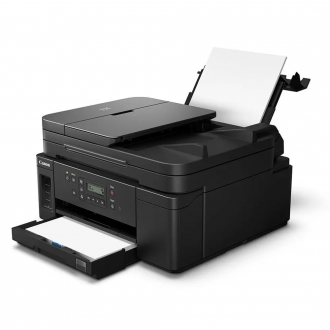
Meet the PIXMA GM4010 Monochrome Wireless All-In-One Printer - designed for serious black and white print productivity with a high page yield of up to 8,300 pages1 per full ink bottle from the reliable, refillable ink system. The PIXMA GM4010 printer delivers outstanding high yields resulting in a low cost per page, and also features superior versatility thanks to an ADF for scanning and copying. The GM4010 allows you to keep working - even on large print jobs - with auto 2-sided document printing, fast print speeds, and a combined 350 sheet plain paper capacity. Connectivity is paramount with the GM4010 featuring Wi-Fi®2 and Ethernet connection when printing from computers, and also for mobile printing through the Canon PRINT app3. The PIXMA GM4010 is the Monochrome Wireless All-In-One designed for high-volume and high-quality printing.
Incredible Page Yields
Experience cost-effective and productive printing with high yield of up to 8,300 pages of black text using a single black ink bottle. The Canon GM4010 is perfect for everyday home printing needs, such as school reports, essays, but also for office printing needs such as reports, charts and high-volume document printing.The PIXMA GM4010 Monochrome Wireless All-In-One Printer allows you to print, copy, and scan quickly and easily. Fill the built-in ink tank with 'no-squeeze' and mess-free black ink bottles, boost uptime with a 350 sheet plain paper capacity, and print up to 8,300 black text pages1. With fast print speeds and an ADF, this wireless2 Monochrome All-In-One can handle large volume printing, copying, and scanning with ease.
Exceptional Productivity & Effortless Connectivity
The PIXMA GM4010 is the Monochrome Wireless2 All-In-One printer designed for high levels of productivity with its fast print speeds, high page yield, large 350 sheet combined paper capacity, and duplex printing capability. From your laptop, to your smartphone or tablet, connecting to the PIXMA GM4010 is effortless. The PIXMA GM4010 features Wi-Fi®2 or Ethernet connection when connecting from laptops and desktop computers for printing and scanning, and wirelessly2 connect from smartphones and tablets using the Canon PRINT app3, The PIXMA GM4010 even has a simple setup, that takes only minutes thanks to Canon Wireless Connect4.Continuous Ink Supply System (CISS)
Meer Informatie
Print more documents, more often - with the PIXMA GM4010 Monochrome Wireless All-In-One Continuous Ink Supply System (CISS). This innovative technology uses large a refillable ink tank, outfitted with airtight tubes, to deliver a continuous flow of ink that's ideal for high-volume printing. The Continuous Ink Supply System (CISS) on the PIXMA GM4010 uses an integrated ink tank and the genuine Canon GI-10 black ink bottle. The GI-10 black ink bottle is 'squeeze-free' - allowing for easy, mess free ink filling for printing lots of pages in black and white.