Printers
-
HP Smart Tank 580 All-in-One PrinterSKU: 1F3Y2A#AKYUS$ 270,00
-
Enjoy everyday reliability with the HP Smart Tank 580 All-in-One printer that delivers the quality you expect and amazing savings. With this multifunctional printer, you can print, copy and scan. Use your Wi-Fi, AIRPRINT, or MobileApp.
-
-
US$ 660,00Designed for business work teams that need professional performance with fast, high-quality two-sided printing and scanning with copying and fax, plus award-winning reliability in a compact design.Meer Informatie
- A4 Color Laser Multifunction Printers, Perfect for Business
- Print scan copy and fax, ADF, Duplex
- Dynamic security enabled printer
- Print speed up to 25 ppm (black) and 25 ppm (color)
- Ethernet, USB, Wi-Fi
Overview
High-speed, automatic two-sided color printing, scanning and copying with faxing.
Experience high-speed, automatic, two-sided color printing up to 26 pages per minute (Letter) /25 pages per minute (A4).
Performance you can count on page after page
Performance you can count on page after page with award-winning reliability.
Protect your data and documents with HP Wolf Pro Security.
Safeguard your business with proactive, embedded security ready out of the box and tamper-resistant toner.
-
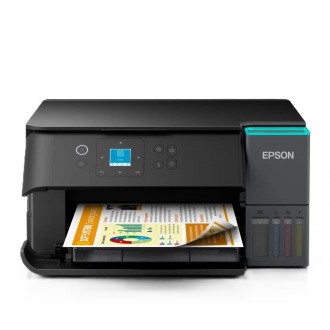
Epson EcoTank L4360 All-in-One PrinterSKU: C11CL41301US$ 360,00
The Epson EcoTank L4360 (C11CL41301) is a compact all-in-one ink tank printer designed for home offices, entrepreneurs, and small businesses that need low-cost, high-volume printing. It combines printing, scanning, and copying functionality in a single device while utilizing Epson's EcoTank refillable ink system, eliminating the need for traditional ink cartridges. Epson positions the L4360 as a productivity-focused printer with improved speed, wireless connectivity, and automatic duplex printing.
The printer uses Epson PrecisionCore Heat-Free technology, which delivers high-quality output while consuming less energy than conventional thermal inkjet systems. Print speeds reach up to 15 ISO pages per minute in black and 8 ISO pages per minute in color, while draft mode speeds can reach up to 33 ppm black and 20 ppm color. Automatic duplex printing helps reduce paper consumption and improve efficiency when printing multi-page documents.
Connectivity is one of the L4360's strongest features. It supports USB, Wi-Fi, Wi-Fi Direct, Apple AirPrint, Epson Connect, and mobile printing through the Epson Smart Panel application. The printer includes a 1.44-inch color LCD display for local operation and setup, making it easy to manage print jobs and wireless connections without relying solely on a computer.
Designed for cost-conscious users, the EcoTank system provides extremely high page yields and low operating costs. The included ink bottles can produce thousands of pages before requiring replacement, making the L4360 particularly attractive for users with frequent printing needs. Its compact footprint, automatic duplex capability, and wireless functionality make it a practical solution for both home and small office environments.
Meer Informatie -
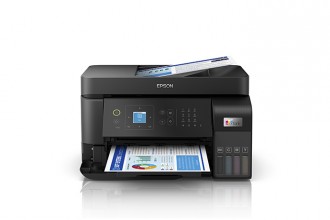
Epson EcoTank L5590 All-in-One PrinterSKU: C11CK57301US$ 450,00
The Epson EcoTank L5590 (C11CK57301) is a high-performance 4-in-1 multifunction ink tank printer designed for small businesses, home offices, and productivity-focused work environments. It combines printing, scanning, copying, and fax capabilities in a single device while utilizing Epson's cartridge-free EcoTank system. The printer is built around Epson's PrecisionCore Heat-Free technology, delivering faster print speeds and improved efficiency while reducing energy consumption.
A major advantage of the L5590 is its business-oriented productivity features. It includes a 30-sheet Automatic Document Feeder (ADF), allowing users to efficiently scan, copy, and fax multi-page documents. Epson specifically positions this model as a faster EcoTank solution, offering up to 50% faster printing than previous comparable EcoTank generations while maintaining the low running costs associated with refillable ink tanks.
Connectivity is comprehensive, supporting USB, Wi-Fi, Wi-Fi Direct, and Ethernet networking. This allows the printer to be shared across multiple users and devices in office environments. Epson Smart Panel support enables setup, monitoring, scanning, and printing directly from compatible smartphones and tablets, improving convenience for remote and mobile workflows.
The L5590 also features a 2.4-inch color touchscreen for easy operation and supports a wide range of paper sizes for business and home applications. Combined with Epson's ultra-high-yield ink bottle system and low cost per page, the EcoTank L5590 is positioned as a premium productivity printer for users who require high-volume printing, scanning, copying, and fax functionality without the expense of traditional ink cartridges.
Meer Informatie -
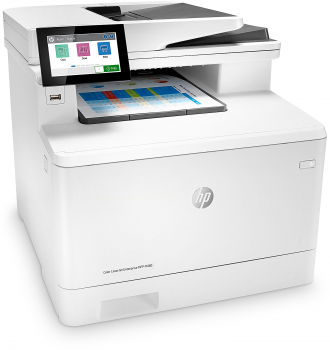
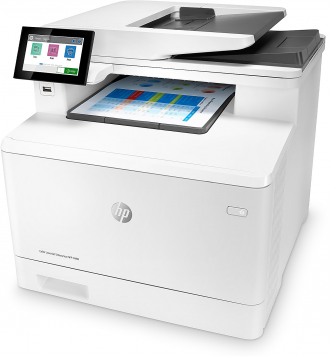
HP LaserJet Enterprise MFP M480f Laser All-In-One Color ePrinterSKU: 3QA55A#BGJUS$ 1.080,00
With strong security and optimal functionality, this HP LaserJet Enterprise MFP M480f Laser All-In-One Color Printer meets your office needs. The all-in-one laser printer prints pages at up to 49 pages per minute (ppm), and offers copying, scanning and faxing capabilities to keep up with your task list. The Gigabit Ethernet connection allows everyone in the office to take advantage of the printer's functions.
- Built-in Gigabit Ethernet port allows connection to your office network.
- Prints up to 49 pages per minute (ppm) in black and color.
- Up to 600 x 600 dpi resolution.
- Copies up to 28 cpm in black and color. Copy resolution up to 600 x 600 dpi.
- ADF and flatbed scanner with 24-bit color and 8.5" x 11.7" scan area. Scan resolution up to 600 x 600 dpi to reproduce exact colors and large documents.
- High-speed fax with up to 1,000 speed dial numbers to meet your office needs.
- Compatible with a variety of media. Prints on envelopes, labels, postcards and paper.
- Automatic 2-sided printing saves paper and money.
- 50- and 250-sheet paper trays can handle complex print jobs.
- Up to 4,800-sheet monthly volume.
- 4.3" color touch control panel helps simplify operation.
- 2GB of built-in memory for improved print speeds.
- USB-compatible with PCs and Macs.
- Eco-conscious choice — has one or more meaningful eco-attributes or eco-labels.
- ENERGY STAR certified — meets federal guidelines for energy efficiency.
- EPEAT Silver certified — reduced environmental impact from multiple eco-attributes. Ranked in three tiers: Bronze, Silver or Gold.
- Energy efficient — designed to use less energy than alternative products, potentially helping you save money and reduce your carbon footprint.
-
KNAON 4x6 Portable BT Thermal Label PrinterSKU: Y41BTUS$ 97,00
- Bluetooth Wireless Connection: KNAON Y41BT Bluetooth shipping label printer enables wireless printing. For iOS and Android users, need to download the 'FlashLabel Pro' App from Apple Store or Google Play. Windows 7 or later computers can also print via Bluetooth by installing the latest advanced driver. Mac users with M1/M2/M3/M4 processors can connect to the printer by downloading the 'FlashLabel Pro' App from Apple Store. Note: All devices CANNOT be connected directly to Bluetooth, and must be used through the 'FlashLabel Pro' app.
- USB Cable Connectivity: This printer ensures seamless USB connectivity with macOS, Windows (7 and above), ChromeOS, and Linux. KNAON printer features a built-in USB drive preloaded with drivers and tutorial videos for a fast and hassle-free setup. For ChromeOS, need to install 'FlashLabel' extension to your Google Chrome.
- Versatile DIY Labeling Options: KNAON Thermal Shipping Label Printer offers a vast selection of pre-designed templates, including 3,000+ templates, 5,000+ icons, and 100+ fonts available in the app. Designed for both professional and personal use, it supports various thermal paper sizes, ensuring effortless customization for all your labeling needs. Ideal for printing DIY shipping labels, barcode labels, thank-you labels, mailing labels, name tags, price tags, and various small thermal labels.
- Seamless Multi-Platform Compatibility: This Bluetooth shipping label printer works effortlessly with all major platforms, including Amazon, eBay, Shopify, USPS, UPS, Etsy, PayPal, Poshmark, DHL, and more, ensuring smooth and efficient label printing. (Note: Save the logistics label as a PDF file on the shipping platforms, then import it into the 'FlashLabel Pro' app for printing).
- Portable & Stylish Design: KNAON multi-function thermal label printer offers user-friendly operation in a compact design. Its perfect size (7.2 x 3.15 x 2.65 inches) makes it simple to store anywhere. With a fast printing speed of up to 180 mm/s and supports paper widths from 1.38 to 4.41 inches. The package also includes 20 test printing papers to get you started right away.
-
US$ 515,00
Features
Meer InformatieEngineered for high-volume printing
Get up to 12000 black pages or up to 8000 color pages.[2]
Automatic two-sided printing
Speed through multi-page documents with automatic two-sided printing.
Your reliable connection
Get faster, more reliable connections using dual band Wi-Fi® with self-healing.[3]
HP Smart app
Print, scan and copy from your phone—from anywhere. Enjoy advanced scanning for 12 months with HP Smart Tank
Seamless, guided mobile set up[1]
Exceptional HP quality
Count on dark, crisp text, and get vibrant color graphics for all your prints.
Magic touch panel and smart-guided lighting
Easily manage tasks with an integrated, modern touch interface for an intuitive experience.
Convenient ink and paper management
Easily monitor and maintain ink and paper levels with integrated ink tank light and paper sensors.
Extend your printing reach
Easily share resources – access and print with wireless and Ethernet networking.[3]
Hands-free. Auto-fed
Work fast and hands-free—the 35-page auto-feeder helps you complete jobs quickly.
More easily copy IDs
HP Wolf Essential security
Safeguard your documents and memories right out of the box with critical protection against cyber-threats.
-
Hztz 80mm Thermal Bluetooth + USB Receipt PrinterSKU: HZ-8360US$ 140,00
-
Automatic Cutter: Economical and efficient operation with an automatic cutter that can perform up to 1.5 million cuts. -
Receipt Printer Hospitality|200mm/s black print speed:Fast and clear print performance with a black print speed of 200mm/s for efficient operation. -
USB/LAN/Bluetooth Connectivity:Flexible connectivity options with USB, LAN, and Bluetooth for versatile POS integration. -
Thermal Paper Support: Use thermal paper for durable and powerful printing results in the hospitality industry. -
20 ppm print volume: Reliable print capacity with a print volume of 20 ppm, ideal for busy restaurant kitchens.
-
-
HP OfficeJet Pro 9730 A3 Wide Format All-in-One Color PrinterSKU: 537P5C#AKYUS$ 560,00
Say hello to the wide format professional colour inkjet printer for your growing business from the World’s #1 Printer Company, paired with the easiest-to-use print app. Print and scan up to A3 with extra performance features.
- Functions: Print, copy, scan
- Print speed: Print speed up to 22 ppm (black) and 18 ppm (color)
- Print quality black (best): Up to 1200 x 1200 rendered dpi
- Automatic document feeder capacity: Standard, 35 sheets
Easily achieve vibrant, screen-accurate prints
Print true-to-screen with the world's only wide format printer with P3 Color and the best print appOur best technology to stay connected and secure
Rely on our most reliable Wi-Fi - dual-band, self-healing - and work securely with HP Wolf Pro SecurityDriving innovation with 30% recycled plastic
Meer Informatie
Choose printers with 30% recycled plastic and help protect our forests with every page you print -
HP LaserJet M111w Monochrome ePrinterSKU: 7MD68A#BGJUS$ 150,00
Compact, mighty printing
Meer InformatieAn efficient, high-quality laser printer that fits your space and budget.
- Profesional quality prints from HP's smallest laser in its class
- Get shortcuts and easy prints with HP Smart app
- Save energy with HP Auto-On/Auto-Off Technology
Small size. Big performance.
A LaserJet so small it can fit almost anywhere. Count on HP quality and reliability page after page, and get seamless setup and easy printing.HP's smallest laser in its class
Experience efficient performance from HP's smallest laser in its class. Finish jobs quickly with rapid print speeds, and stay connected with self-resetting wireless capability.Productivity from your phone
Stay on top of business. Get high-quality scanning and printing from your phone. Plus, organise documents 50% faster with shortcuts using HP Smart app.Energy saving printer
Help save resources without sacrificing performance with HP Auto-On/Auto-Off Technology – intelligence that can turn your printer on when you need it and off when you don’t.