Routers
-
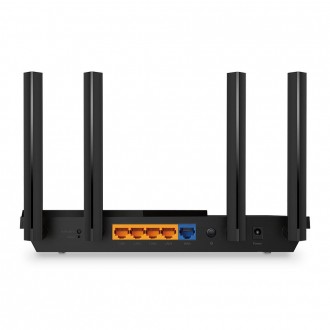
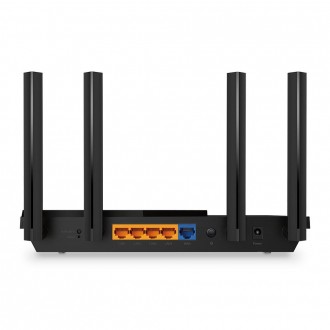
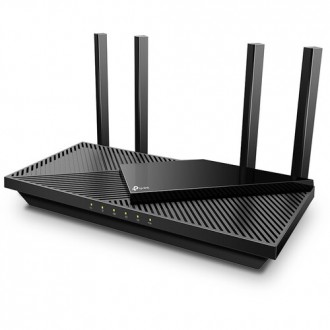
TP-Link AX1800 WiFi 6 Router (Archer AX21 V5) – Dual Band Wireless Internet, Gigabit, Easy Mesh, Works with Alexa - A Certified for Humans Device, Free Expert SupportSKU: Archer AX21 V5US$ 95,00
- TP-Link Archer AX21 V5 AX1800 WiFi 6 Router delivers high-speed dual-band wireless performance up to 1.8Gbps.
- Features Gigabit WAN/LAN ports, EasyMesh support, and advanced WiFi 6 technology for faster, more efficient networking.
- Compatible with Amazon Alexa for convenient voice control and easy smart home integration.
- Ideal for streaming, gaming, video conferencing, and connecting multiple smart devices throughout your home.
-
US$ 25,00
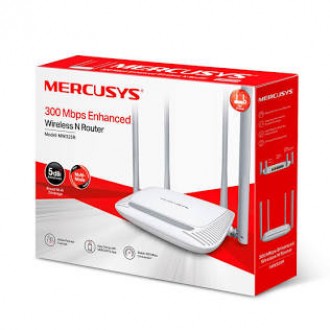
- 300Mbps Wireless N Router with enhanced Wi-Fi coverage.
- Four 5dBi high-gain antennas provide strong and stable wireless signals.
- Supports Router, Access Point, Range Extender, and WISP modes.
- Wireless speed up to 300Mbps on the 2.4GHz frequency band.
- Ideal for web browsing, HD streaming, online learning, and smart home devices.
- Easy setup and management through an intuitive web interface.
- Reliable and cost-effective networking solution for homes and small offices.
-
US$ 17,00
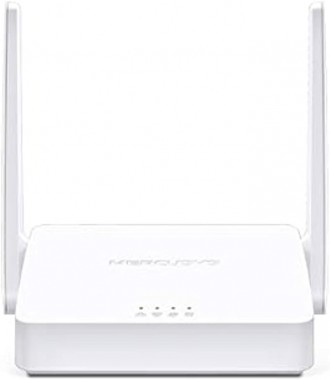
- 300 Mbps Wireless N Router designed for home and small office networks.
- Supports multiple operating modes including Router, Access Point, Range Extender, and WISP.
- Two high-gain external antennas provide stable wireless coverage.
- Parental Controls allow easy management of internet access for family members.
- Easy setup and management through the Mercusys mobile app.
- Single-band 2.4GHz Wi-Fi ideal for web browsing, streaming, and online learning.
- Compact design with reliable wireless performance.
-
Nexxt VektorG2400-AC Whole Home Mesh WiFi SystemSKU: NCM-G2400P
Normale prijs: US$ 95,00
Special Price US$ 75,00
Wireless mesh system for the whole house
Discover Vektor, the modular mesh system that puts an end to dead zones. With smoother connections across its 2 nodes, along with the UNIQUE network configuration, the Vektor is able to keep you and your device permanently connected to the strongest signal, without delays or interference of any kind.
- Whole-home communication network supporting up to 50 simultaneously connected devices
- It has two nodes:
- A desktop node with one 10/1000 Mbps port and one 10/100 Mbps port
- A pluggable node with a 10/100 Mbps port
- True Mesh technology, a more efficient approach to wireless networks
- Two simultaneous bands for unbeatable performance
- Combined speeds 2400AC. 1200Mbps per node (300Mbps on the 2.4GHz band / 867Mbps on the 5.0GHz band)
- Easy setup through your Nexxt Wireless mobile app
- Nexxt Cloud for real-time status and remote management
- Eliminate dead spots and weak signals
- Manage a unique network name and password for all nodes
- Smartly choose the shortest and fastest route
- Automatic connection redirection in case of signal loss
- Guest access on segmented networks
- Restricted access for minors
- WPA/WPA2-PSK encryption
- Transmission speeds up to 4 times faster than 300Mbps Wireless-N protocol
- Wi-Fi smart scheduling allows unit to be connected and disconnected
-
TP-Link Archer AX55 AX3000 Wireless Dual-Band Gigabit RouterSKU: ARCHER AX55US$ 135,00
- Wi-Fi 6 (802.11ax)
- Up to 2976 Mb/s Throughput
- 2.4 GHz / 5 GHz (Dual-Band)
- 4 x External Antennas
- 4 x Gigabit Ethernet LAN Ports
- 1 x Gigabit Ethernet WAN Port
- 1 x USB 3.1 Gen 1 Port
- AiMesh Compatible
- TP-Link HomeShield
- Easy Setup with TP-Link Tether App
Cover your home with fast and reliable wireless online connectivity with the Archer AX55 AX3000 Wireless Dual-Band Gigabit Router from TP-Link. Supporting 802.11ax Wi-Fi connections, this dual-band router is designed to transfer up to 2976 Mb/s over the 2.4 GHz and 5 GHz bands for smooth 4K video streaming, online gaming, and video chat experiences. Beamforming and OFDMA technologies help to ensure strong connections to compatible devices. Expand your wireless coverage by using additional OneMesh-compatible routers and other devices as satellites to eliminate dead spots, operating with a single network ID (SSID) for a seamless connection as you move from room to room. There are also four Gigabit Ethernet LAN ports available for smart TVs, video game consoles, and other wired network devices. The Archer AX55 router includes TP-Link HomeShield protection, which scans your network for threats and offers a comprehensive list of parental controls. Use the TP-Link Tether mobile app quickly set up, manage, and monitor your network.
High-Speed Wireless Performance
Featuring four powerful external antennas with a dual-core processor and 512MB of memory, the TP-Link Archer AX55 is designed to transfer up to 2402 Mb/s over the 5 GHz band and 574 Mb/s on the 2.4 GHz frequency. Beamforming concentrates the signal while OFDMA simultaneously communicates with Wi-Fi 6 compatible devices for strong and efficient wireless connections.OneMesh Compatibility
Eliminate dead spots by using OneMesh-compatible devices as satellites. Mesh networks use a single network ID and will automatically switch devices to the strongest signal, providing you with a smooth, uninterrupted experience as you watch streaming videos, browse the internet, and play games while moving across your home.Efficient Cooling
This router is equipped with a large heatsink and a vented case to help maintain optimal temperatures and performance.TP-Link Tether App
Set up your router in minutes using the Tether app for iOS and Android. You can also use it to set up a guest login for visitors and configure parental controls.TP-Link HomeShield
The included TP-Link HomeShield service helps to protect your family from online threats using a real-time network scanner and a host of parental controls. Upgrading to HomeShield Pro enables advanced features such as DDoS attack prevention and requires a subscription fee.Security
Your wireless signal is protected by WPA, WPA2, and WPA3 encryption. A built-in SPI firewall helps to defend against internet threats. This router also supports OpenVPN and PPTP VPNs.Wired Connections
Four Gigabit Ethernet LAN ports are available alongside a Gigabit WAN port, which connects to your cable/DSL modem.USB Sharing
Meer Informatie
Share photos, videos, music, and other files with all your network's connected devices by connecting a compatible storage device to the USB 3.1 Gen 1 Type-A port. Other uses for the USB port include USB printer sharing, remote access via FTP server, and adding 3G/4G mobile internet connections. -
Normale prijs: US$ 120,00
Special Price US$ 95,00
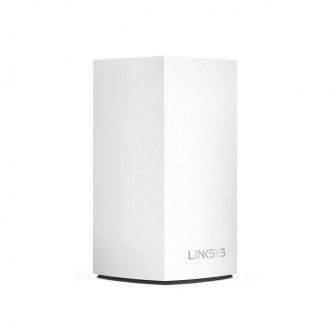
Easy to set up and designed to fit anywhere, Velop brings ultra-fast, full-strength mesh WiFi to your home in minutes. Featuring Intelligent Mesh™ technology and a sleek, modular design, the Velop mesh WiFi system spreads strong WiFi through any kind of home.
From the moment you set up your WiFi mesh network, Intelligent Mesh™ Technology gets to work adapting your Velop system to your home. If someone accidentally unplugs a node, the other nodes will pick up the slack. Diagram of several devices accessing different channels. Even with a busy network, Velop knows how to select the clearest channel for your devices.
Flawless, Full-Strength Mesh WiFi
Offering ultra-fast performance, the Linksys Mesh WiFi system delivers the speed necessary to support multiple devices.The Future Looks Bright
Intelligent Mesh™ allows you to expand your coverage across your home by simply adding nodes giving you the range to keep your connection going strong.Fast Connection to all your Devices
MU-MIMO technology helps deliver high-speed WiFi to multiple devices simultaneously to handle more gaming and smart home devices.Easy Setup and Control
Meer Informatie
It's simple to set up, lets you access your network from anywhere, and view or prioritize which connected devices are using the most WiFi - all from the free Linksys app. -
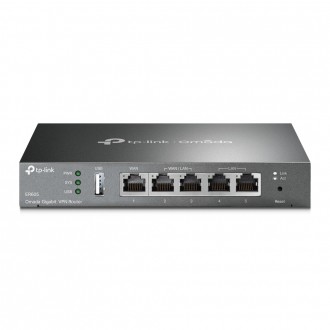
TP-Link ER605 Omada Gigabit VPN RouterSKU: ER605V2US$ 85,00
- Integrated into Omada SDN: Zero-Touch Provisioning***, Centralized Cloud Management, and Intelligent Monitoring.
- Centralized Management: Cloud access and Omada app for convenience and easy management.
- Five Gigabit Ports: High-speed wired connectivity.
- Up to 3 WAN Ethernet Ports: 1 gigabit WAN port and 2 gigabit WAN/LAN ports with load balance raise the utilization rate of multi-line broadband.
- One USB WAN Port for Mobile Broadband: Mobile broadband via 4G/3G modem is supported for WAN backup by connecting to the USB port.‡
- Highly Secure VPN: Supports up to 20× LAN-to-LAN IPsec, 16× OpenVPN*, 16× L2TP, and 16× PPTP VPN connections.
- Abundant Security Features: Advanced firewall policies, DoS defense, IP/MAC/URL filtering, and more security functions protect your network and data.
Omada SDN—The Smarter Cloud Solution for Business Networking
As the gateway that seamlessly integrates into the Omada Software Defined Networking (SDN) platform, ER605 allows for remote and centralized management, anywhere, anytime. Standalone management via the Web UI or app is also available to maximize convenience.
Up to Three WAN Gigabit Ports & One USB WAN for Mobile Broadband
Two freely interchangeable ports allow the router to support up to three WAN ports for various Internet access requirements. The multi-WAN Load Balancing function distributes data streams according to the bandwidth proportion of every WAN port to raise the utilization rate of multi-line broadband.
Mobile broadband via 4G/3G modem by connecting to the USB port is also supported for WAN backup.High-Security and High-Performance VPN
ER605 supports IPSec/PPTP/L2TP VPN over IPSec/SSL protocols. One-click auto IPSec VPN* greatly simplifies VPN configuration and facilitates network management and deployment. It also secures and encrypts private site-to-site data communications traveling over the internet. This version improves VPN performance by 4–5 times thanks to the open line of communication with Omada's user base.
Internet Access Management Strategy
Administrators can moderate users' online behavior and easily specify employees' internet access rights and strategies via IP/MAC/URL Filtering and Access Control List (ACL). Captive Portal authentication facilitates network resource control by capturing, authenticating, and classifying user access. Appropriate network resources can also be allocated for particular users or guests.
Easy Management with the Omada App
Follow configuration instructions on the free Omada app to get set up in minutes. Omada lets you configure settings, monitor the network status, and manage clients, all from the convenience of a mobile device.
Meer Informatie -
US$ 110,00
Linksys Velop Whole Home WiFi Mesh System
Meer InformatieLinksys Velop is a WiFi mesh networking system that envelops your entire home in seamless, ultra-fast, and full-strength WiFi.
This WiFi mesh system is designed to scale to your household’s WiFi needs. As your WiFi needs expand, simply add more nodes and interchange colors to coordinate with your home style.
Unlike traditional WiFi routers and range extenders, Velop nodes create a single, seamless WiFi network with one name and password--so there's no need to manually switch between networks.
At a Glance:
- Mesh WiFi system envelops your home in seamless WiFi
- Modular mesh WiFi network can be scaled with your growing WiFi needs
- Intelligent Mesh Technology ensures fast, reliable performance
- Customize and manage you home WiFi anytime, anywhere with the Linksys App
-
US$ 90,00
- ???????????????????????????????? ???????????????????????????????????????? ???????????????????????????????? ???????????????????????? ???????????????????????????? : Armed with a 1.7GHz Quad-Core Broadcom high performance CPU for faster Wi-Fi speeds(Up to 2976Mbps) and a stable network
- ???????????????????????? ???????????????????????????????????????? ???????????????????????????????????????? : Both 2.4 GHz band and 5 GHz band get upgraded to the latest generation—perfect for online gaming, 4K streaming, and fast downloading
- ???????????????????????????????? ????????-???????? ???????????????????????? ???????????????????????????????????????? ???????????????? ???????????????? : 4 high-performance signal enhancement modules and 5 external 6dBi high-gain antennas combineto extend strong and reliable Wi-Fi throughout your home
- ????????????????????-???????????????? ???????????????????????????????? ???????????????? ????????-????????+ : Equipped with the Wi-Fi+ function, multiple RX12 Pro can be easily networked without configuration, realizing a high-speed whole-home Wi-Fi experience for larger units
- ????????????-???????????????????? ???????????????????????????????????????????? ???????????????????????????????????? : When you encounter network freezes, dropped calls, and current interruptions, you can click one-key optimization on the web management interface, and the router can quickly complete self-checks and repair network problems
- ???????????????????????? ???????????????? : This router does not function as an optical network unit (ONU) and is designed solely for routing purposes.
- ???????????? ???????????????????????? ???????????? ???????????????????????? : The Tenda WiFi 6 Router RX12 Pro support both VPN Server and VPN Client (PPTP/L2TP). OPEN VPN and WireGuard will be realized in May,2025 at the earliest.
-
US$ 145,00
- 3.6 Gbps Dual-Band WiFi 7: Enables your devices to run at full speed. Enjoy fluent 4K/8K streaming, immersive AR/VR gaming, and blazing-fast downloads.
- 2× 2.5G Ports: 1× 2.5 Gbps WAN port, 1× 2.5 Gbps LAN port and 3× 1 Gbps LAN ports offer high-speed data transmissions.
- Maximized Coverage: 4× external antennas along with Beamforming deliver more capacity, stronger and more reliable connections, and less interference.
- EasyMesh-Compatible: Works with EasyMesh routers and range extenders to form seamless whole home Mesh WiFi, preventing drops and lag when moving between signals.
-
Easy Setup and Use: Network management has never been easier with the Tether app.
- TP-Link HomeShield: Enhanced security defends against the latest cyber threats.
- 3.6 Gbps Dual-Band WiFi 7: Enables your devices to run at full speed. Enjoy fluent 4K/8K streaming, immersive AR/VR gaming, and blazing-fast downloads.